Hiya, I’m a very freshman
In short : the selection " INDI Control Panel" is burred in my Kstars menu under “Tools”
and this is my first time to check my mount is connected to my computer or not.
Actually, this is my first time to ensemble my equipments:
- Raspberry PI4B in ubuntu server 22.04 with LXTE, KStars and EQMOD were installed
- EQ5 - pro is connect to the RPi4B by a DIY direct cable (RJ45 to TTL-USB) by https://www.williamliphotos.com/diy-eqdir
thanks
Settings/Toolbars Shown/INDI Toolbar
HTH
Max, thanks for your reply
Sorry that my poor English and actually the problem is that :
“settings =>ToolbarsShown => INDI Toolbar” is ticked and the INDI icon shown in toolbar is blurred and cannot be selected.
and
“Tools => Devices => INDI Control Panel” is also blurred and cannot be selected.
My problem is still not being solved.
Thanks
[quote=“maxthebuilder”]Settings/Toolbars Shown/INDI Toolbar
HTH[/quote]
Do you have Indi running? You need to have Ekos up and connected to Indi, then you can load the Indi control panel.
Hope that helps a little.
Could this possibly be caused by Indi lib being <V2.0? I once had this issue when I compiled KStars without having Indi compiled to V2.0 before.
I am not sure how to check if INDI server is running ?
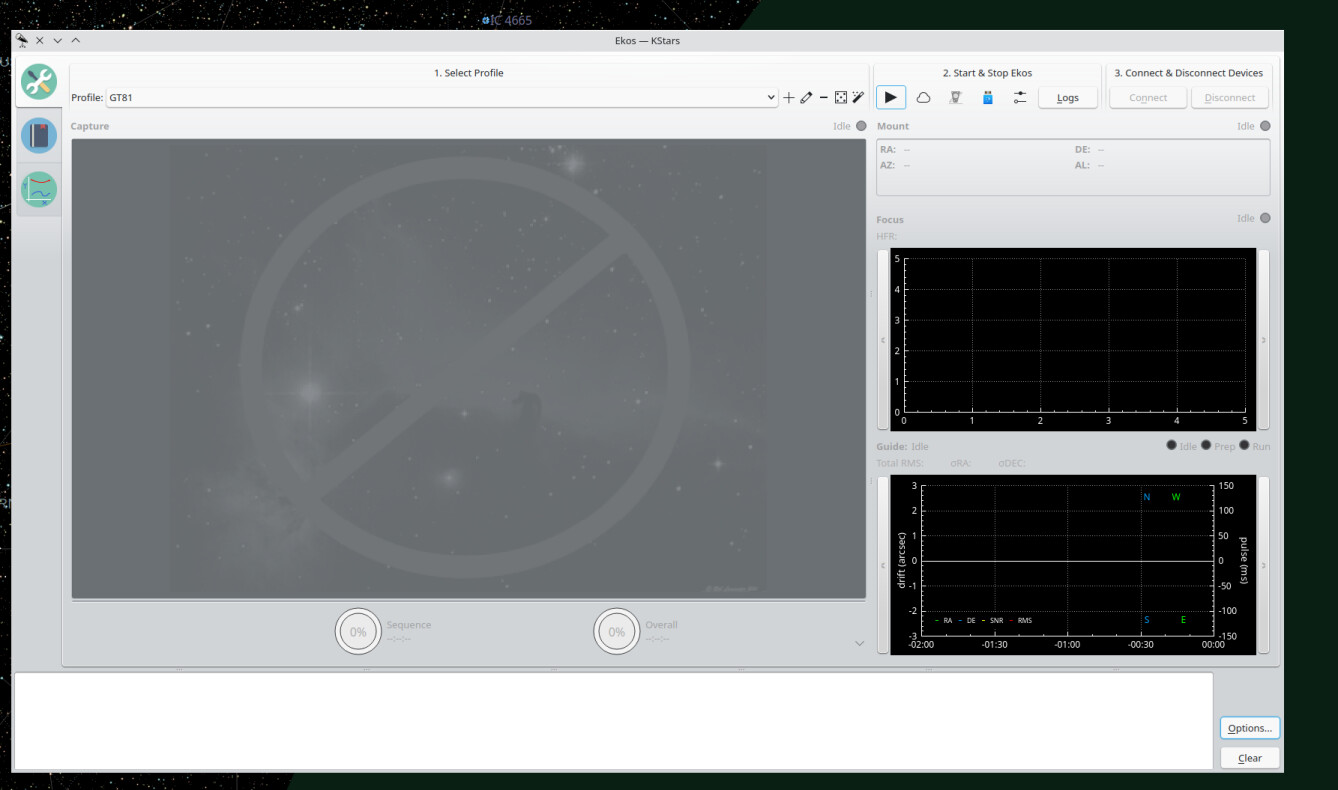
I can start the interface of EKos and edit the profile, but I don’t think I have “start the INDI server” thru EKos.
Could you mind to tell me the actual procedure ?
[quote=“David Allmon”]Do you have Indi running? You need to have Ekos up and connected to Indi, then you can load the Indi control panel.
Hope that helps a little.[/quote]
How to check the INDI lib version ? I just downloaded it from website by this command :
sudo apt-get install libindi1 indi-bin
There is an arrow button in the “2. Start & Stop Ekos” group at the top of the Ekos screen. Click on that button and Ekos will either star Indi on the local computer, or if you have it set to remote in your profile, it will attempt to connect to the remote server. In either case, the Indi Control Panel can’t be launched until the connction is made by Ekos.
Thanks Allmon, it works now, thanks.