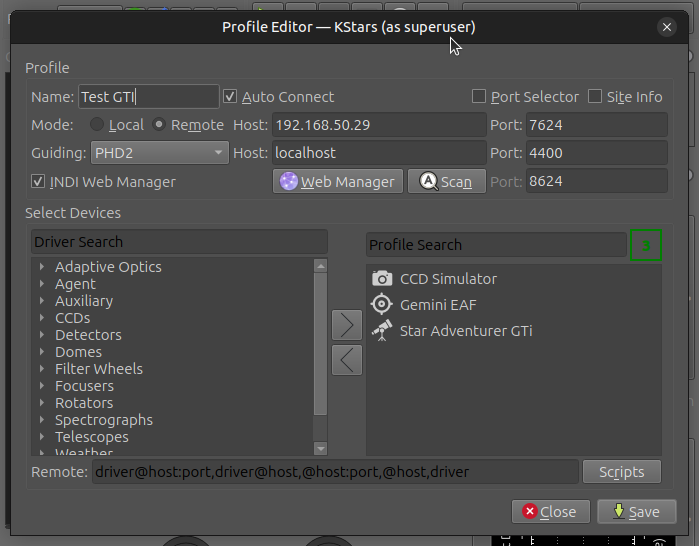
After a recent X64 Ubuntu client & Armbian Ubuntu server update (update of Ubuntu) 3 of my four USB devices can no longer connect.
My devices:
MyFocuserPro2 (Gemini) : Working
Canon DSLR : Not working not detected
QHY CCD : Broken detected but fails then loops (10 times) before giving up
Skywatcher Star Adv GTI : Not working not detected
I have tried recreating a new profile with the same results.
All devices are listed by lsusb.
I get the impression some other service has grabbed the devices or device permissions have changed.
I’ve spent several hours trouble shooting but can’t pin point the issue.
According the mount I would suggest you to open a terminal window and write a command to get some data when you connect the mount via USB.
The command is:
tail -f /var/log/syslog
Press a couple of Enter..
After that connect the mount and there should be a few lines with text you can copy and show us, that can be very helpful.
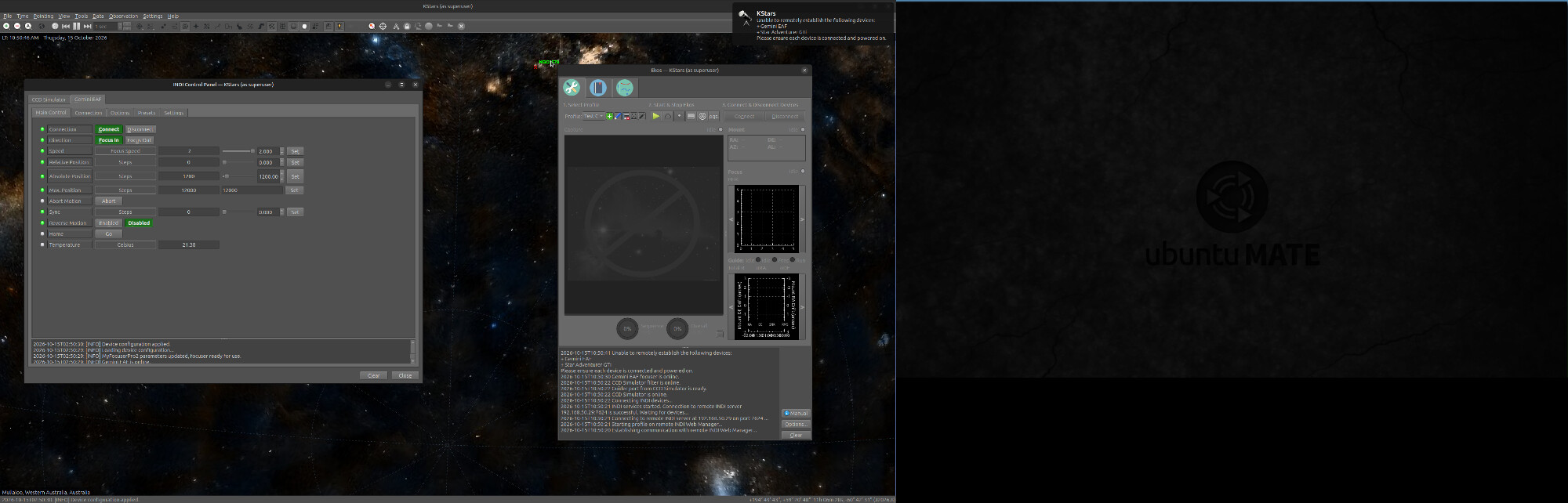
In this new profile i have a CCD simulator, the Gemini and the Sw SA GTI:
Here is the EKOS log :2026-10-14T18:27:17 CCD Simulator filter is online.2026-10-14T18:27:17 Guider port from CCD Simulator is ready.2026-10-14T18:27:17 CCD Simulator is online.2026-10-14T18:27:17 Remote devices established.2026-10-14T18:27:17 INDI services started. Connection to remote INDI server 192.168.50.29:7624 is successful. Waiting for devices…2026-10-14T18:27:17 Connecting to remote INDI server at 192.168.50.29 on port 7624 …2026-10-14T18:27:17 Establishing communication with remote INDI Web Manager…2026-10-14T18:25:23 Unable to remotely establish the following devices:+ Gemini EAF+ Star Adventurer GTiPlease ensure each device is connected and powered on.2026-10-14T18:25:06 Gemini EAF focuser is online.2026-10-14T18:25:04 CCD Simulator filter is online.2026-10-14T18:25:04 Guider port from CCD Simulator is ready.2026-10-14T18:25:04 CCD Simulator is online.2026-10-14T18:25:03 Connecting INDI devices…2026-10-14T18:25:03 INDI services started. Connection to remote INDI server 192.168.50.29:7624 is successful. Waiting for devices…2026-10-14T18:25:03 Connecting to remote INDI server at 192.168.50.29 on port 7624 …2026-10-14T18:25:03 Starting profile on remote INDI Web Manager…2026-10-14T18:25:02 Establishing communication with remote INDI Web Manager…
Yea, some USB devices are Asyncrone and that’s the reason for some devices is called ttyACM0, and that’s not a problem.
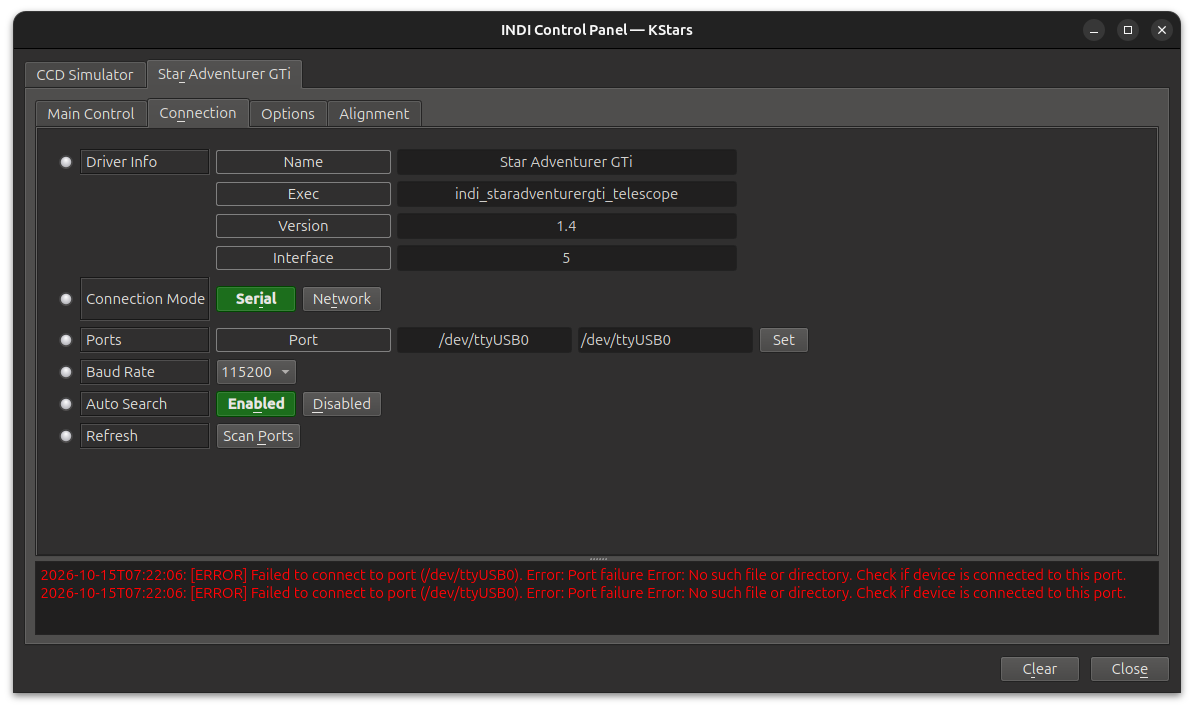
When you have a good profile with camera and mount you can start Ekos and also the INDI Control Panel, there you get an Error like this..
[color=#ff0000]2026-10-14T11:40:34: [ERROR] Failed to connect to port (/dev/ttyACM0).
Error: Port failure Error: No such file or directory. Check if device is connected to this port.[/color]
Click on the “Connection” tab and enter the port name like this: /dev/ttyACM0 and the click the “Set” button.
Also set the correct Baud Rate.
Don’t klick “Scan Ports” button.
Go to the “Main Control” tab and klick “Connect”
$ lsusb
Bus 001 Device 001: ID 1d6b:0002 Linux Foundation 2.0 root hub
Bus 002 Device 001: ID 1d6b:0003 Linux Foundation 3.0 root hub
Bus 003 Device 001: ID 1d6b:0002 Linux Foundation 2.0 root hub
Bus 003 Device 002: ID 214b:7250 Huasheng Electronics USB2.0 HUB
Bus 003 Device 003: ID 03f0:6a41 HP, Inc HP USB Optical Mouse Bus 003 Device 004: ID 1a86:7523 QinHeng Electronics CH340 serial converter (- Gemini)
Bus 003 Device 005: ID 0483:5740 STMicroelectronics Virtual COM Port (- SW SA GTI)
Bus 003 Device 006: ID 045e:07f8 Microsoft Corp. Wired Keyboard 600 (model 1576)
Bus 004 Device 001: ID 1d6b:0001 Linux Foundation 1.1 root hub
Bus 005 Device 001: ID 1d6b:0002 Linux Foundation 2.0 root hub Bus 005 Device 002: ID 04a9:3217 Canon, Inc. Canon Digital Camera
Bus 006 Device 001: ID 1d6b:0001 Linux Foundation 1.1 root hub
Bus 007 Device 001: ID 1d6b:0002 Linux Foundation 2.0 root hub
Bus 008 Device 001: ID 1d6b:0003 Linux Foundation 3.0 root hub Bus 008 Device 002: ID 1618:0716 QHYCCD QHY715U3G20-20230106
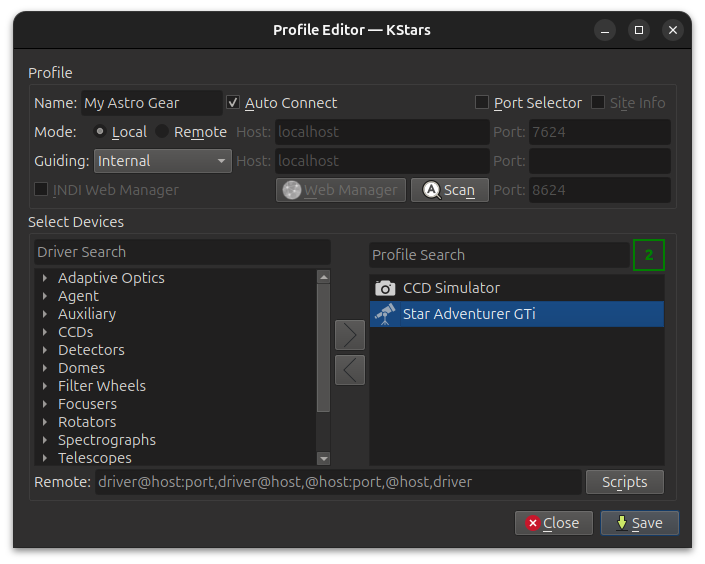
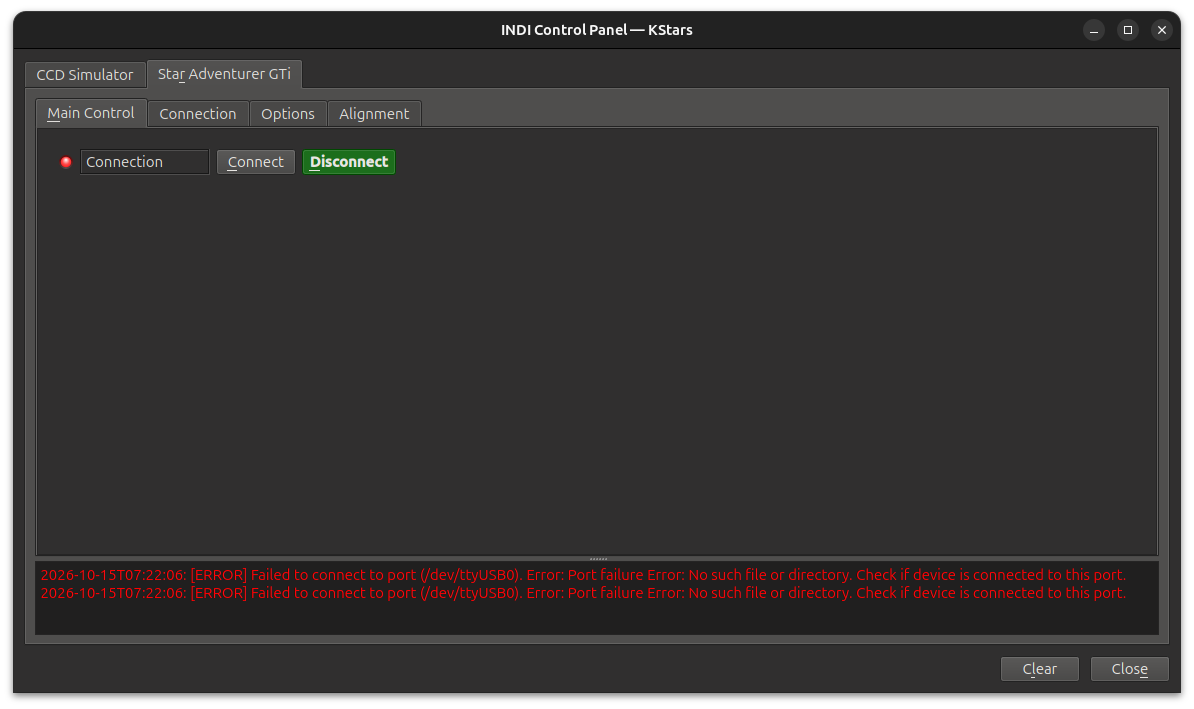
I had to check what it looks like when trying to use a mount that I don’t have or not being recognized,
I took some screenshots I like you to compare to what it looks like on your computer.
the most interesting is Screenshot-3, I get the “Connection” tab and can change the device /dev/ttyUSB0 to /dev/ttyACM0 even if I don’t have
any mounts connected at all.
Is your mount creating two devices ?? or are they different devices ?? Bus 003 Device 004: ID 1a86:7523 QinHeng Electronics CH340 serial converter (- Gemini)
Bus 003 Device 005: ID 0483:5740 STMicroelectronics Virtual COM Port (- SW SA GTI)
The SW SA GTI creates one device. As I have indicated in the past post. The Gemini is the EAF focuser which creates one device. The Gemini Focuser is connecting without issue*. All the devices appear in lsusb as I recall they should be.
Mostly without issue . After connecting EKOS still seems to think it has not connected even though it is clearly operating in the Indi Panel and I am getting correct temperature readings.
Hmmm.. I was thinking if there is something missing from the KStars installation ?? but if mount works I was thinking if there was a .xml file to go with the driver but the driver does not have a .xml file.
You could try starting the driver manually, like using command: indiserver indi_staradventurergti_telescope
and create a profile with cam simulator and the real mount, also find the .indi directory to see what files it contains.
I’m really running out of ideas (not giving up just yet) but as the last resort is to do a reinstall of everything even if it a pain
Forgot one thing about starting manually.. if you start driver manually you also have to use a local IP, may be localhost or 127.0.0.1 or your local IPaddress, that depends on how the operating system is configured..
Before my next suggestion you could rename the file in .indi/ directory ‘Star Adventurer GTi_config.xml.default’ to ‘Star Adventurer GTi_config.xml’
If that does no difference then edit the file and if you find a line like /dev/ttyUSB0 then change that to /dev/ttyACM0
Last resort may be using the nou’s script URL: https://gitea.nouspiro.space/nou/astro-soft-build
It does compile the whole KStars with drivers and after I tried that it worked perfectly, it takes some time but it’s worth it.
No on the Arm SBC server (where the problems are) I only have Indi installed. I don’t have kstars installed at all. I have flatpak kstars on the client laptop.
I discovered the problem. Indi now only has a 26.04 build and no longer provides 24.04. So all the indi bin and library have defaulted back to the Ubuntu repo and not https://ppa.launchpadcontent.net/mutlaqja/ppa/ubuntu.
Since there is no distro upgrade path in Armbian I will have to download and reinstall 26.04 and rebuild the remote SBC indi server!!!
Yes, there is only 26.04 in PPA, and the best way is to get the correct version installed.
Okey then, I guess this case is closed for now and I’m pretty sure it will resolve all the problems.
CS, Markku
Might have been any idea to leave the older 24.04 packages there on the PPA even they were never updated. And then remove them after a few months. In that way there is a longer change over time.
I can agree to that but there might be some reasons for not doing so, launchpad may not support older versions in the future or some other complications that might appear in the near future that I don’t know of.
Sometimes launchpad have not been successful in compiling correctly but I don’t know why because when I did a manual compile of drivers they worked but not the ones from PPA.
CS,
/Markku