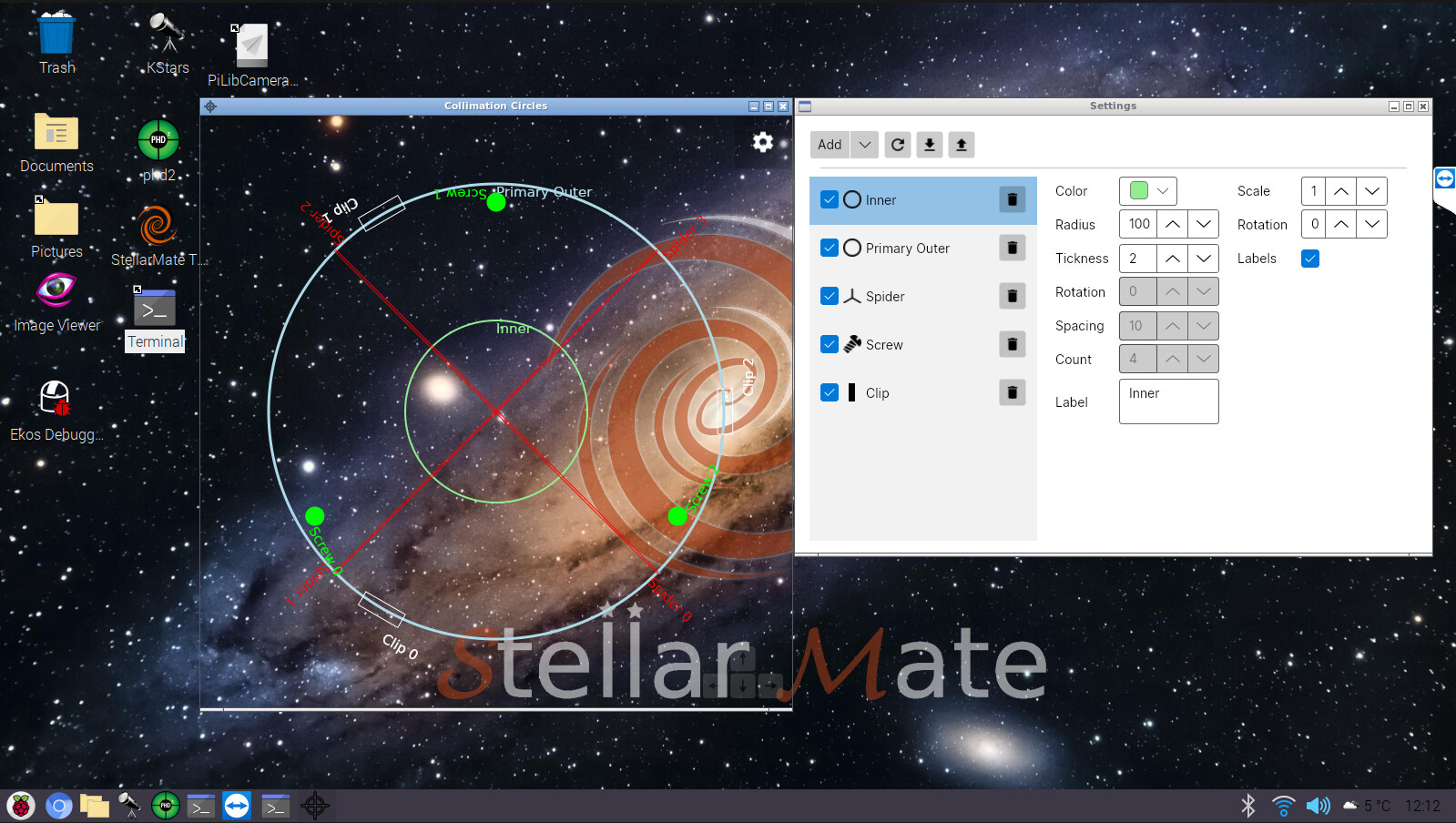
I have made app Collimation Circles, to help with telescope collimation process. App was inspired by Mire De Collimation written by Gilbert Grillot and Al’s Collimation Aid. You can get it here: GitHub - sajmons/CollimationCircles: Collimation Circles is application for precise telescope collimation · GitHub.
5 Likes
Hi!
Interesting! Can I use this not with a phone but with the regular CMOS camera as well, capable of taking videos? I already use that one for manual collimation.
Magnus
Yes you can. You can use this application as overlay over your existing application for capturing stream from your CMOS camera.
Collimation Circles application does not capture any video stream by itself.
Very nice. Just like Al’s collimation aid, but for Linux 
Do you plan to have this tool incorporated into KStars someday? Or have you considered adding some INDI client functionality to connect to a camera for live view, focuser, and maybe even recentering mount all-in-one place?
[quote=“Andrew”]Very nice. Just like Al’s collimation aid, but for Linux
Do you plan to have this tool incorporated into KStars someday? Or have you considered adding some INDI client functionality to connect to a camera for live view, focuser, and maybe even recentering mount all-in-one place?[/quote]
I don’t have enough knowledge and experiance with C++ to incorporate that into KStars. But I’m sure someone who has, can do it if enough users will find that useful.
I have played with including VLC control into AvaloniaUI app to show streams from cameras using libcamera driver. But to support astronomy cameras, the right way would be to suport INDI drivers. Maybe I’ll investigate that posibility in the future or, someone with knowledge of INDI protocol can.
Thanks a lot! Just installed on WIN10 incl. the NET Framework and the NET Framework EXE.
Works great!
Cheers
Hardy
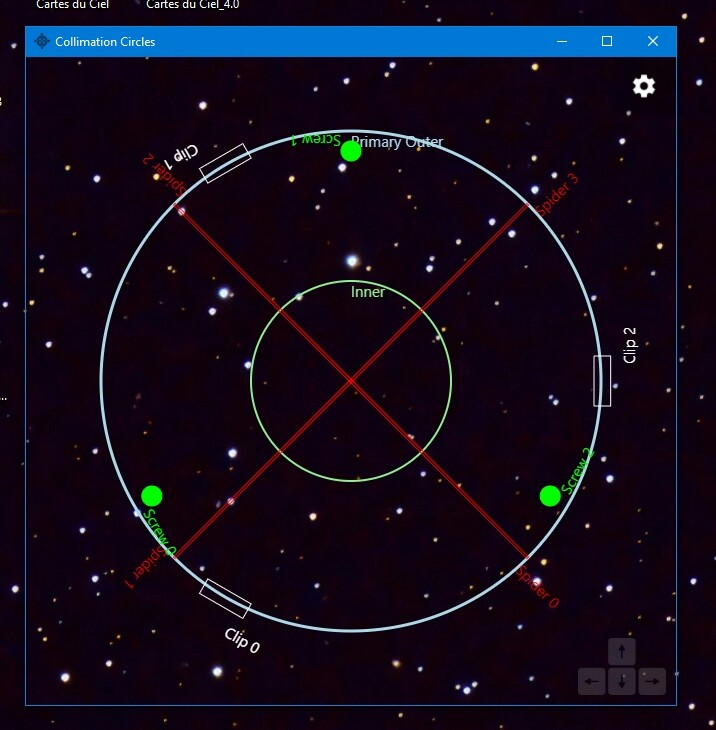
Great to have it on Linux, I will have to try it on my Rpi running Ubuntu. I have been using AI’s collimation tool, running on my laptop. I control the RPi, running Kstars at the scope, over ethernet cable to a laptop inside my garage (where it is warm) over VPN. As long as I am doing collimation using an artificial star the scope is still in the garage (on wheels, so I can roll it out on the driveway for seeing the night sky), then having the tool on the laptop is ok. But if I try to collimate using a star I need to be at the scope, where I have a tablet, also running VPN, so I can see the screen for polar alignment and focusing. When I get this running on Ubuntu, next time I uncover the scope, I can use it for star collimation.
One suggestion, in AI’s collimation tool there is a break in the crosshairs at the center, so you can really see the out of focus star central spot and how well centered it is in the cross hairs (the crosshairs are also not as thick as yours) and which way to make the final small adjustment. You might think of making that change. It is only a suggestion and I have not tried your tool as it is, so it may work just fine. I would be interested in hearing other users comments.
Sorry, I did not look at the Github site before making the suggestion. I see that your crosshairs are actuall split and so the center is open. I was looking at the image from the previous post where the crosshairs are together and thick. Again I have not tried the tool yet, so my suggestion may be meaningless.
thanks,
I am having some difficulty getting this to run, but it may just be me. My target machine is an RPI 4 running 64 bit Ubuntu LTS 20.04, but I am first trying to get the program to work on a separate rpi 4, running Raspian Linux 10, the processors are ARMv7.
I am able to get dotnet to load successfully ( I ran the script command for the latest version and it installed Version 6 ) and I downloaded all the files for the CollimationCircles program.
When I first tried to do the build the error I recieved told me that your *.csproj " file was asking for version 7 of dotnet, I had to change that line in the file to read version 6. After making that change I entered the “dotnet run” command. Right now it is hung on that build. I will wait and see if it finally builds, this RPI only has 1 G RAM.
Can you fill me in on what the specifics of the process will be for the machine I am running Kstars on, which I said above is an RPI 4, 8 G RAM running 64 bit Ubuntu.
thanks,
Thank you for your replay Ronald.
Did you try to play with settings? Everything is customizable, the thickness, rotation, color, radius, etc. Try to change some of the settings to get setup that is right for your scenario.
Did you try to build it with .NET 7?
Yes I did try to build it with .Net, but it gave me errors and I just assumed that it would not work on a 64 bit machine and system. I have not had a chance to try it again on an Rpi that had more ram.
I would be grateful for any specific suggestions that I should try with my system.
thanks,
Ron
If you run it with dotnet run command it should run on every system, include 64 bit. In fact I run it on 64bit Raspbery Pi OS Bullseye.
What kind of error do you get?
You can also try to run like this to get debug output.
dotnet run --verbosity dThere is new version 1.0.3 available!
Changes are:
Fixed language change (window must be closed to changes take effect)
UI tweaks for easier side by side positioning
App remember it’s state after closing and load that state on start
Check for update when application starts
2 Likes
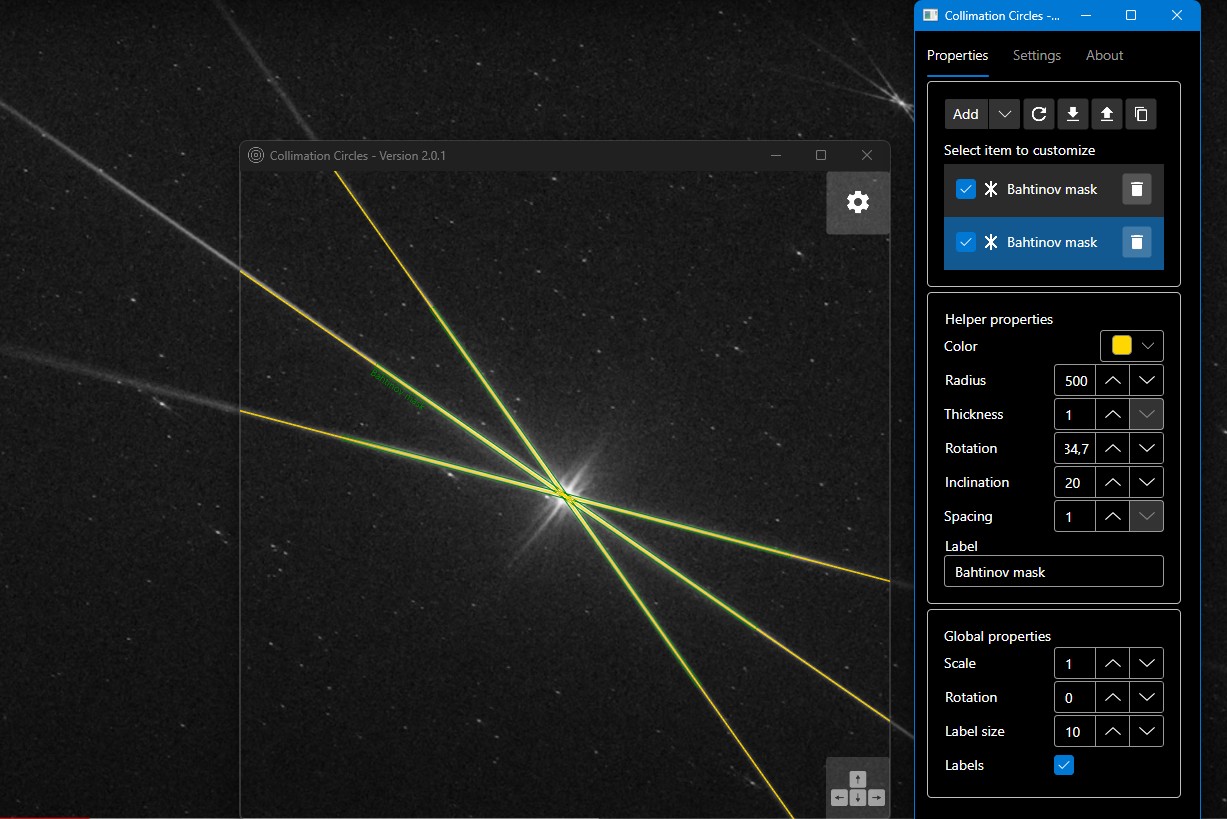
There is new version available 2.0.1! It brings tons of improvements and new Bahtinov mask helper wich can be used for fine tune your focusing and telescope collimation with bahtinov mask.
Change list:
- New bathinov mask helper
- New duplicate helper button
- New launcher icon
- Dynamic translation
- Complete UI redesign
- Responisve UI design
- Added key shortcuts
- Added range validation
- Optimized icons for dark mode
- Make first item selected when app starts
- Upgrade to avalonia 11.0.0-rc1.1
- Fix wrong help url
- Fixed code for fetchng app version
- Fix bug that caused double validation messages
3 Likes
Cool. Is there a video or doc for how to use this app for collimation (especially RC collimation)?
Thanks,
Hy
Unfortunatelly there is no video on how to use it yet. There are some written instructions accessible via About tab.
Or you can see them here on my blog:
https://saimons-astronomy.webador.com/software/collimation-circles
https://saimons-astronomy.webador.com/1191504_eaa-telescope-collimation-with-collimation-circles-application
I hope you can figure out how to use application reading those instructions. You can contact me via blog any time if you need to.
In principle app work like overlay over video stream from your telescope. You can position different paterns over your video to help you get your telescope in perfect collimation.
[quote=“Hy Murveit”]Cool. Is there a video or doc for how to use this app for collimation (especially RC collimation)?
Thanks,
Hy[/quote]
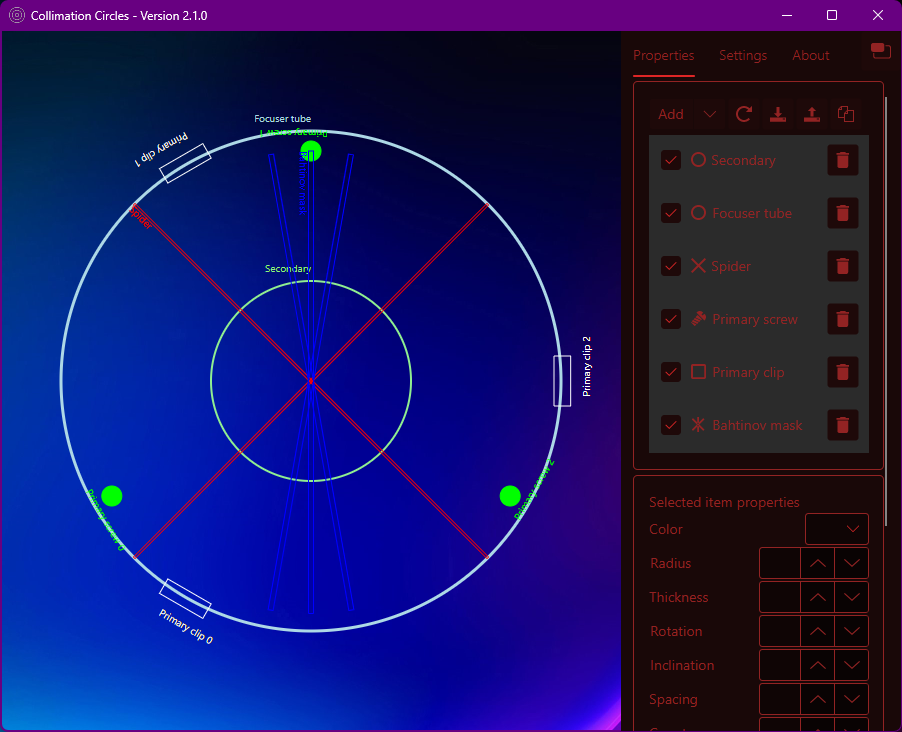
I have just released new version 2.1.1 of Collimation Circles app.
Download from here: Releases · sajmons/CollimationCircles · GitHub
Change log:
Added always on top option, that keeps windows on top of all other windows
Added support for themes
Added ability to dock settings interface to main window
Added indicator of curently selected item from list
Added ability to scroll settings tab
Added GitHub link to About tab
Added saving selected index to the state file, so that selected item can be restored upon aplication exit and load
Added PowerShell publish script to automate publishing and creating ZIP atrefacts for GitHub release
Added osx-x64 build
Merge pull request #5 from Alex-Kozachenko/readme_fix
Code and performance optimizations
Fixed windows position not loading and not saved to appstate.json
2 Likes
I’m verry happy to anounce new release of Collimation circles application! And it’s really exciting one, expecially for macOS users!
Collimation Circles Application is now offically supported on macOS 12+
Download: https://github.com/sajmons/CollimationCircles/releases
Official WebSite: https://saimons-astronomy.webador.com/software/collimation-circles
Added global center offset support for patterns
Added new setting for main window opacity
Added French language thanks to Vincent Vidal
Added social button bar
Added GitHub issue button
Fixed Transparency issue for main window on MacOS
Fixed CheckBox for pattern visibility not working
Fixed saving and restoring window position
Fixed setting window not apearing when main windows closes in detached mode
Fixed some minor issues
Change shortcut keys requires CTRL on Windows or ⌘ on macOS to be pressed
Change upgrade to AvaloniaUI 11
Change keyboard shortcuts are now inside collapsible pannel
Change Refactoring of UI
Change Optimized translations
3 Likes
I’m happy to anounce that there is new version of Collimation Circles 2.2.2 available!
Download: https://github.com/sajmons/CollimationCircles/releases
Official WebSite: https://saimons-astronomy.webador.com/software/collimation-circles
Added count property to bahtinov mask for easy TriBahtinov mask support
Added property for controling patern opacity
Added pattern max count limitation
Fixed main window movement not working when settings window is detached
Fixed for new version dialog below main window when always on top enabled
Fixed icon on windows not embeded inside exe file
Fixed when settings window was detached and default button was clicked, there was duplicated settings window and pannel
Fixed cutting off of keyboard shortcut text
Updated nuget packages, AvaloniaUI 11.0.3
Updated french translation
I am very happy to announce that there are no more transparency issues with the Collimation Circles application on the new Raspbery Pi OS Bookworm!
More here: https://saimons-astronomy.webador.com/1504731_collimation-circles-on-new-raspberry-pi-os-bookworm